I
FileMaker owns the data.
Found sets, containers, IDs, metadata, windows, and scripts remain in your solution.
RCCPhotoGrid for Claris FileMaker
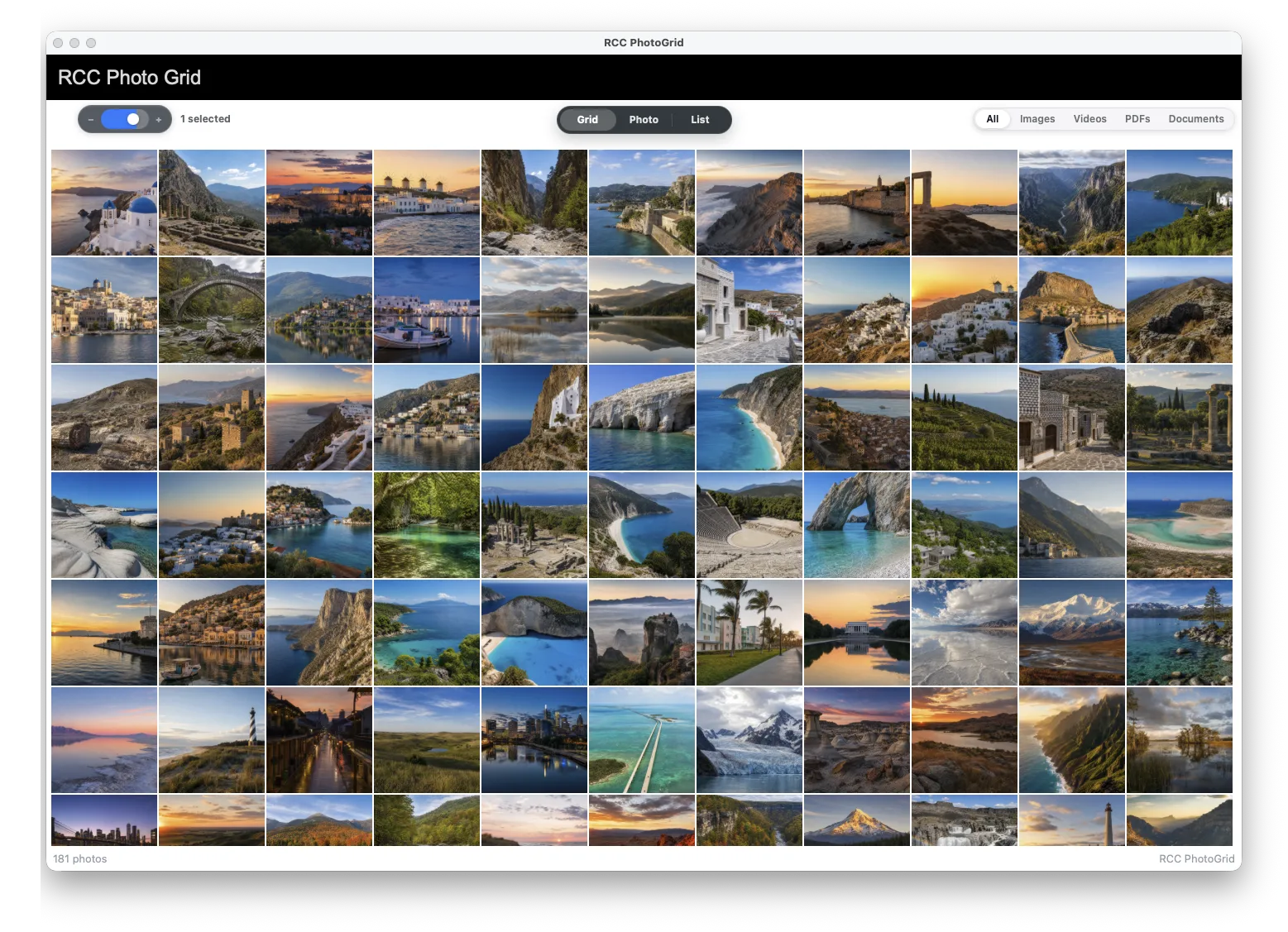
RCCPhotoGrid brings a modern Photos-style grid, preview, built-in photo editing, drag-and-drop workflows, and script callbacks directly into Claris FileMaker layouts on Mac and Windows.
RCCPhotoGrid
Mac
.fmplugin build for FileMaker Pro on macOS.
Windows
.fmx64 build for FileMaker Pro on Windows.
A modern media surface
FileMaker portals are excellent record tools. But photo-heavy systems need spatial browsing, fast previews, visual selection, and desktop-native interactions.
I
Found sets, containers, IDs, metadata, windows, and scripts remain in your solution.
II
A Photos-style grid gives users the browsing experience they expect from a modern desktop app.
III
Clicks, drops, previews, edits, exports, and selections flow back through FileMaker script callbacks.
Product tour
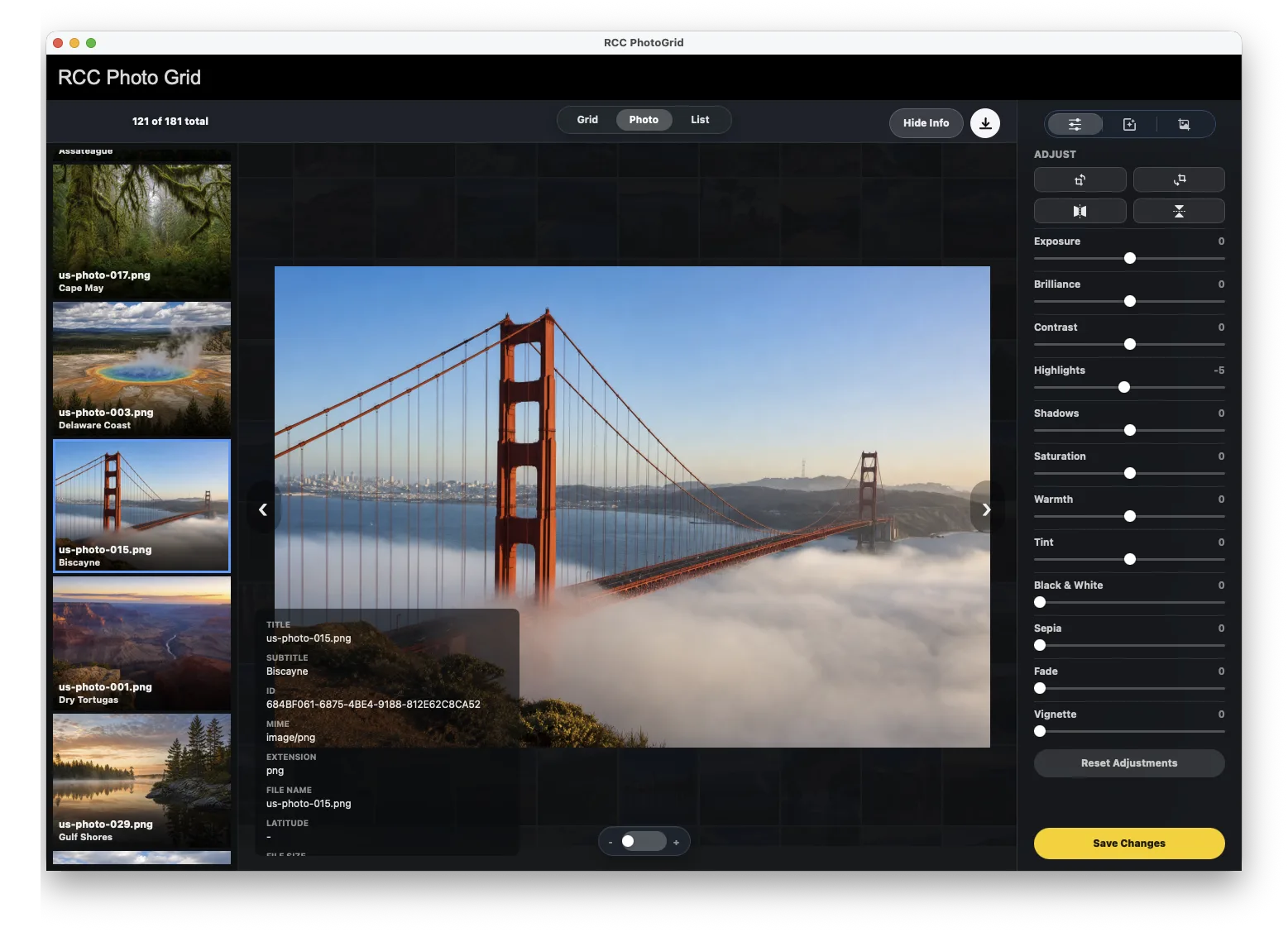
RCCPhotoGrid includes a built-in photo editor for crop, rotate, flip, adjustments, copy, and paste. No custom editor UI. No export, edit, and import-back round trip.
Built-in photo editor
Edit without coding
Crop, rotate, flip, adjust, copy, and paste in the built-in editor.
Save Changes
Return the edited image payload to your FileMaker save script.
Back into container
Write directly to the container field. No export. No import back.
Browse hundreds of container records with responsive thumbnails and clear visual selection.
Crop, rotate, flip, adjust, copy, and paste without building your own editor UI.
Save Changes returns the edited image so FileMaker can write it back into the container field.
Users do not export, edit somewhere else, and import back. The edit stays inside the FileMaker workflow.
Keep selected IDs available to FileMaker scripts.
Bring files in, then drag selected items back out.
Route user actions through scripts you already control.
Load IDs, thumbnails, metadata, MIME hints, and state from your found set.
Mac and Windows share the plugin API, with native preview behavior where supported.
Developer integration
Named objects, found sets, JSON, callbacks, windows, scripts, refresh, and cleanup. The visual layer feels native, but FileMaker stays in charge.
Script Workspace
Set Variable [ $gridID ;
  RCC.PhotoGrid.CreateWithControl (
    Get ( WindowName ) ;
    "photoGridPlaceholder"
  )
]

Set Variable [ $result ;
  RCC.PhotoGrid.SetData ( $gridID ; $photoJSON )
]

Set Variable [ $selectedIDs ;
  RCC.PhotoGrid.GetSelectedIDs ( $gridID )
]
Core function surface
RCC.PhotoGrid.CreateWithControl ( windowName ; objectName )RCC.PhotoGrid.SetFrameWithControl ( gridID ; objectName )RCC.PhotoGrid.SetFrame ( gridID ; left ; top ; width ; height )RCC.PhotoGrid.Refresh ( gridID )RCC.PhotoGrid.Refresh ( windowName ; gridID )RCC.PhotoGrid.SetData ( gridID ; json )RCC.PhotoGrid.LoadDemoData ( gridID )